
The Gluware Dashboard app delivers instant visibility into your network operations - empowering enterprise teams with the knowledge they need to act faster, smarter, and with confidence. It is included as part of Gluware Control. Key benefits include:
Network Knowledge at Your Fingertips
Jumpstart with Pre-Built Dashboards
Fully Customizable & Collaborative
Integrated Navigation & Filtering
Empower Teams with Self-Service Views

Visualize Network Automation Information with Gluware Dashboard
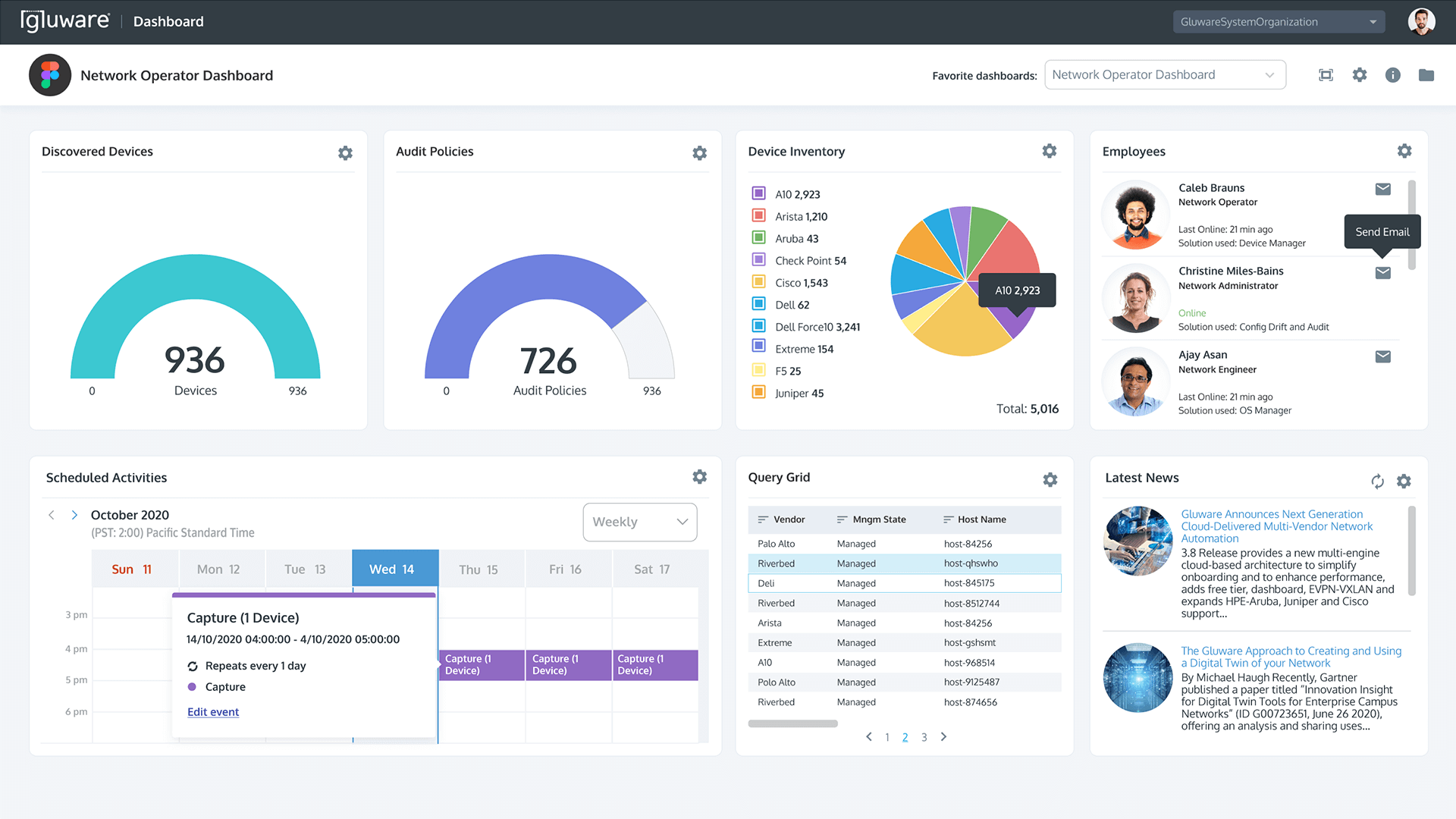
The Gluware Dashboard app is your centralized interface for gaining real-time visibility into network operations, compliance, OS management, and more. With fully customizable, interactive dashboards and seamless in-app navigation, it puts actionable network insights at your fingertips – empowering teams to monitor performance, track progress, and stay ahead of risk across complex, multi-vendor environments.
Designed for collaboration and tailored to various roles, Gluware Dashboard provides pre-built examples and drag-and-drop widgets to quickly build dashboards that align with your operational goals – whether you’re managing inventory, auditing compliance, or orchestrating OS upgrades.
Key Capabilities
Dashboards support customizable layouts with a variety of widgets to visualize the data. Example dashboards highlight:
- Administrative views and current users on the platform
- Detailed inventory management with device counts and breakdowns using data sets like device type, OS version and more
- Drift and Audit dashboards providing drift status summaries and widgets for audit violations and audit
Feature Highlights
Core Features
- Example dashboards for admin and app-specific views
- Customizable layouts with a variety of widgets (tables, counts, grids, schedules, text, RSS, web pages)
- Support for private and shared (public) dashboards
- Import/export functionality to promote team collaboration
- Cloneable templates from the Gluware Community GitHub
- Integrated filtering and navigation for deeper insights
- Summary and detailed views are available across all dashboards
Example Inventory Dashboard
- Total Device Count (count widget)
- Discovered status and OS type breakdowns (data set widgets)
- Device type analysis by category
- Cisco Device Advisory view (device grid)
- Upcoming activities calendar (scheduled activities widget)
- Currently scheduled tasks summary (data set widget)
Example Audit & Drift Alerts Dashboard
- Total audit violations summary (count widget)
- Table of audit policies with violations (device grid)
- Audit run status and drift status summaries (count widgets)
- Detailed list of drifted devices (device grid)
- Scheduled audits calendar view
Example OS Manager Dashboard
- Top OS versions deployed (count widget)
- Plans with failed devices table (device grid)
- Top 10 OS plan statuses (count widget)
- Scheduled OS plans calendar (scheduled activities widget)
- File server and file sync status (device grids and count widgets)